
plain
Another reason to like SeaMonkey!
Tue, 03/04/2014 - 12:48 — Alexis WilkeAs I mentioned before, I like to use SeaMonkey. In general, browsing wise, it is very much like Firefox so that's good for those people who like Firefox, they can switch without losing much else than the location where the toolbar buttons are (Quite a few are in different places).
The thing I discovered today, though, is really cool. I put a path to an email saved on my disk to see whether the HTML in that email was valid or not and it loaded at once. Just before hitting Enter I though, wait... I probably should remove the email header. Nope. No need. It actually recognized the data and ...
Bad Google Indexing "Secure" Pages...
Wed, 08/22/2012 - 20:45 — Alexis WilkeAbout a week ago I got a customer who started having their website appear in Google with HTTPS (the secure version of the site.) The pages are served securily, but it uses our website certificate so you get a big bad error saying that everything is broken and if you proceed you'll know what hell is like.
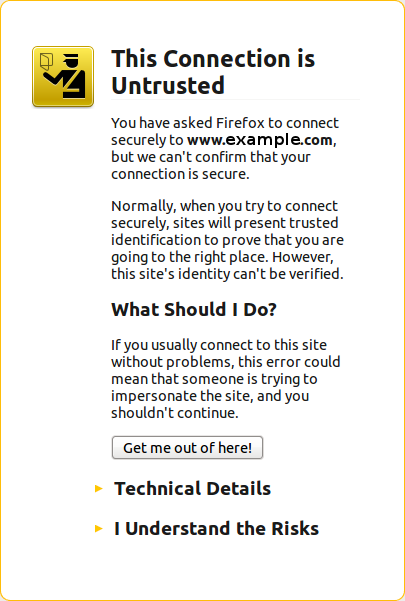 The fact is that this customer never had a secure certificate. In other words, there is no reason for the site to have been referenced with HTTPS unless someone typed a link to their site and inadvertendly entered https://... instead of http://...
I checked a few of the pages where there ...
Simplemenu Settings
Menu Settings
Menu
Select the menu to be displayed as the Simplemenu. By default, we display the Navigation Menu which makes the most sense for administrator (as the Simplemenu was primarily created for administrators wanting to quickly go to all administration pages.)
Theme
Select a theme to display your Simplemenu items and dropdowns. The default is called original.
The themes reside in the module sub-folder named themes. Each theme is defined in a specific directory named after the theme. That name is what appears in the dropdown in the settings.
It is possible to add new themes as
Table of Contents Settings
Filter Configuration
At this point, most of the Table of Contents configuration is done in the Table of Contents filter.
This means multiple Input formats allow you to make use of several different configurations.
Insert Nodes used as a macro (6.x-1.2)
This module can be used to create macros (as pointed out by one of our user in a Drupal issue.)
The following steps show you how you can create a macro with the Insert Node module.
Create the Macro
First, create a node that is to become the macro. We will call this node macro. It is used without the Insert Node filter so the Insert Node tags do not get changed. This is important since we reference the main node (with the asterisk) and that reference would look like a recursive reference.
One idea is to use the macro as a PayPal button which gets set with parameters from another node. ...
Insert Node Parameter: plain (6-1.2) [no content]
The plain keyword is used to avoid having the content being inserted put inside a tag. By default, the content is inserted inside a <span> or a <div> tag (<span> is used if the output does not include <div>, <p> and other such tags.)
Although one could overload the theme_InsertNode_node() theme function, it is at times practical to be able to use both methods.
The plain keyword does not otherwise generate any output.
This keyword primary use is for adding CCK parameters inside HTML code as proposed by one of our users (see here):
<input ...
Insert Node Known Issues
The following are problems that have not been resolved and will probably not be.
Tag not transformed
At times, you enter the tag as in [node:123 cck=title] and it is not converted by the filter.
There are 3 common reasons for this to append:
- You did not select the filter in your Input formats;
- You did not select the format that uses the filter in that node; or
- There is a syntax error in the tag.
The 3rd one is certainly the most likely explanation once you made sure that the filter was effectively selected for that node. In many cases, it will be the missing ...
Insert Node Parameter: cck (6-1.2)
The CCK parameter let you insert one of your CCK field and some node fields that cannot otherwise be added without being themed.
We support CCK fields and several special field names as follow.
Fields that appeared after version 6-1.2 have a version specified between parenthesis (i.e. 6-1.3).
cck=field_<name>; [requires CCK]
The CCK parameter must be followed by a field name. An empty name is likely to generate an error. The name of a field that does not exist is likely to generate nothing.
For instance, if you have a field named see_also, you would write:
cck=field_see_also;
String Length (multi-byte)
Pop one multi-byte string, push its length in actual character on the stack.
This action works as expected with plain ASCII and international UTF-8 strings.
String Equal
Pops two strings, compute the equality and put the Boolean result back on the stack.
IMPORTANT
The true meaning of this operator was to apply the String cast to both values, then compare the result as strings. This is not really good JavaScript as per ECMA, so later Macromedia added the strict comparison operators instead. This is why this action should only be used in a Version 4 of SWF. Newer versions should use Strict Equal or plain Equal.
