
code
Reporting a Phishing, Scam, or Abusive email to a financial institution or an Internet company
Sun, 10/05/2025 - 13:44 — Alexis WilkeIn most cases, a large financial institution is going to have an email address where you can send them a copy of a phishing or scam email or website.
I won't get in details about scams in general, I have my Scam Website about that with many emails I've received over the years.
What I like is to have a list of those email addresses because in some cases, it's rather difficult to find them. That way I will have a place for them. You may want to verify before using those email addresses since they may change over time.
To report an SMS, you can forward it to your carrier for free ...
What kind of test do I need for my software?
Sun, 04/16/2023 - 11:27 — Alexis Wilke
Introduction
Most software companies run in that dilemma. In order to write software that works, you want to write some tests. The question for many of these companies is: what kind of tests are most efficient for my business?
Here we talk about seven common test practices in the software industry.
1. Unit Testing
Probably the most used form of testing is Unit Testing. This is easy to write and very effective in discovering bugs. If you are looking at verifying correctness, this is 100% what you need to have to test your software.
Why is it easy to write?
In most cases, Unit ...
Basic Website Development Tools Every Blockchain Developer Needs
Mon, 05/09/2022 - 22:02 — Alexis WilkeDevelopers can choose from many advanced software applications in today’s environment of intensive research on potential uses for blockchain technology. Web development tools include Ethereum DApps Development where researchers and developers strive to build decentralized apps and smart contracts. Smart contracts have the built-in ability to adjust based on changes to key terms and to monitor compliance with the terms of the contract.
Blockchain development tools help to facilitate software development. If a developer is new to blockchain or lacks experience, he or she should become ...
Metaprogramming in C++ to create functions that depend on their input parameters
Sat, 03/26/2022 - 11:48 — Alexis WilkeI've been using metaprogramming for a while now. An interesting aspect to the ability to define an invalid (unavailable) type, allows you to declare functions that do not get selected by the C++ template system.
The following is a simple example where you want to test a version where the major, minor and patch version numbers are defined as an undefined type T which could be a signed or an unsigned type while compiling. If unsigned, the return value < 0; statement will generate a warning and for safer programming, you should not allow any warnings (we use the -Werror command line ...
What is a Golden File in software development?
Mon, 03/14/2022 - 12:34 — Alexis Wilke While programming, one of the best thing to do to make sure that your software works as expected is to write tests.
Actually, if you write enough tests to make sure that the code works as expected, it should take you between two and three more time to finish up your project. So if it takes you one day to write a function, it will take you another two days to write good tests for that one function.
Many of those tests, especially as you construct more and more complex software, require large amount of input and output data. It's easy enough to test a function such as strlen(). It has one ...
3 Types of Software Every Business Needs
Fri, 01/28/2022 - 19:17 — Alexis WilkeAre you struggling to stay on top of everything in your business?
You don't need to handle everything all alone — there's software specifically designed to help your business thrive without you having to put in more hours. The right software will save you time by keeping everything organized and ready to go.
Learn about the 3 types of software to keep your business running as it should while you focus on more important things.

What Type of Business Do You Have?
As we go through each type, understand that the software your business needs depends mainly ...
The Benefits of Keyword Research Software
Fri, 12/04/2020 - 09:11 — Alexis Wilke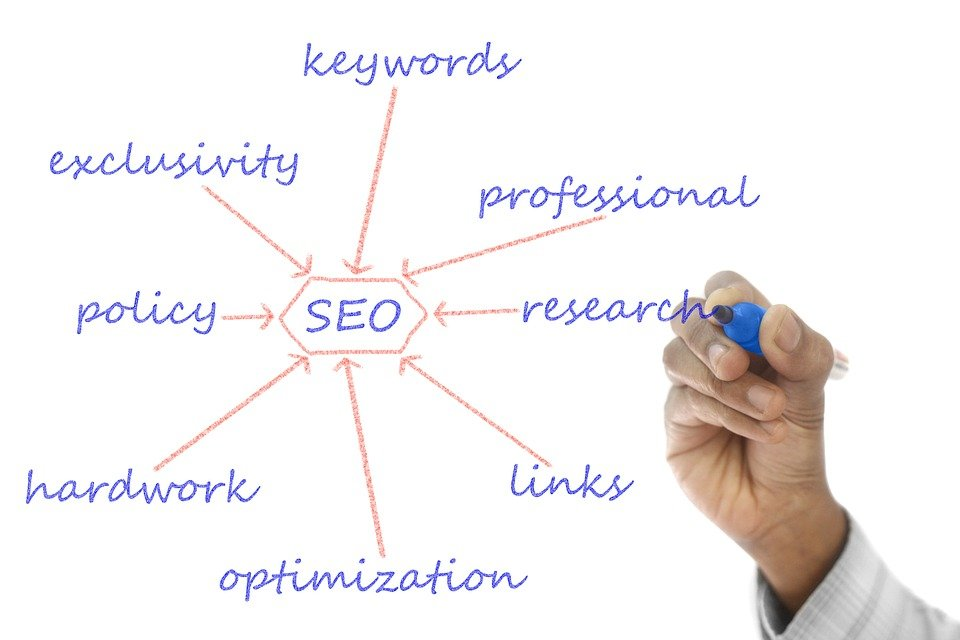
You've heard it said that a team is only as good as its leader, right? In the world of computer systems, many times, a computer is only as good as its software.
If you do any marketing research or work for an online company, one of the best software you could ask for is a keyword finder. If your job focuses on marketing techniques and sale inquiries, keyword finders are the way to go.
Why? Let's discuss the most significant benefits these handy tools can provide for you!
1. They Help Narrow the Search Results
If you are searching for information about a subject ...
Don't Repeat Yourself When Writing Software
Fri, 05/01/2020 - 11:39 — Alexis Wilke
For a very long time now, we have been using languages that support having functions that one can call. That was not always the case, although even really old versions of BASIC had a GOSUB instruction, which it had no concept of local variables so it was rather difficult to use safely.
Functions allow you to avoid repetition. You write a small snippet of code (or maybe not that small) within a function and then you call that function to reuse that snippet over and over again. Good programmers tend to do that even with one liners. However, many others often think: well, it's just one line, why don't I return copy & paste that wherever I need it, it's going to be faster.
Best C++ Books
Tue, 05/07/2019 - 09:21 — Alexis WilkeOnce in a while someone will ask me which book is best to start learning programming. The fact is that I do not know because I'm already an advanced programmer and it's rather difficult for me to get back to the basics (it feels like a waste of my time, sorry...)
That being said, at Made to Order Software, we've mainly been a C++ shop. We also do a lot of C, PHP, JavaScript and touch many other languages as required by the tasks we perform (bash, cmake, perl, C#, Java, etc.)
That being said, I wanted to underline some of the best C++ books available today. Especially, in the last ...
Put the label of an HTML Input inside the Input element
Mon, 10/29/2018 - 14:41 — Alexis Wilke
Update:
With HTML5 running on pretty much all platforms, you want to use the placeholder attribute instead of any sort of tricks to place a label inside your input widgets.
This is done like this:
<input type="text" placeholder="Phone Number"/>
This example will show "Phone Number" inside the input box until the user types some text in that box.
You can test with the box right here. This is just that one <input .../> tag I placed in my page HTML. (It is not in a form, but the widget itself will work as expected.)
For additional details, I ...
