
send
Reporting a Phishing, Scam, or Abusive email to a financial institution or an Internet company
Sun, 10/05/2025 - 13:44 — Alexis WilkeIn most cases, a large financial institution is going to have an email address where you can send them a copy of a phishing or scam email or website.
I won't get in details about scams in general, I have my Scam Website about that with many emails I've received over the years.
What I like is to have a list of those email addresses because in some cases, it's rather difficult to find them. That way I will have a place for them. You may want to verify before using those email addresses since they may change over time.
To report an SMS, you can forward it to your carrier for free ...
What kind of test do I need for my software?
Sun, 04/16/2023 - 11:27 — Alexis Wilke
Introduction
Most software companies run in that dilemma. In order to write software that works, you want to write some tests. The question for many of these companies is: what kind of tests are most efficient for my business?
Here we talk about seven common test practices in the software industry.
1. Unit Testing
Probably the most used form of testing is Unit Testing. This is easy to write and very effective in discovering bugs. If you are looking at verifying correctness, this is 100% what you need to have to test your software.
Why is it easy to write?
In most cases, Unit ...
Top 6 Benefits of Hotel Management Software
Fri, 02/11/2022 - 17:22 — Alexis WilkeTechnology is ever-changing, and it brings huge operational benefits to all industries, including hospitality. However, not every business has the time, energy, funds, and resources to constantly invest in the latest technological breakthroughs.
That being said, there are a few simple and cost-effective operational aids that are easy to setup and make running a hospitality business that much easier, like hotel management software.
Not sure if you need new software for your hotel? Keep reading to learn how digital hotel management solutions improve efficiency.

1. Accurate Reports
Hotel ...
3 Types of Software Every Business Needs
Fri, 01/28/2022 - 19:17 — Alexis WilkeAre you struggling to stay on top of everything in your business?
You don't need to handle everything all alone — there's software specifically designed to help your business thrive without you having to put in more hours. The right software will save you time by keeping everything organized and ready to go.
Learn about the 3 types of software to keep your business running as it should while you focus on more important things.

What Type of Business Do You Have?
As we go through each type, understand that the software your business needs depends mainly ...
HP Color LaserJet Pro Multifunction M479fdn Laser Printer
Tue, 05/12/2020 - 18:25 — Alexis Wilke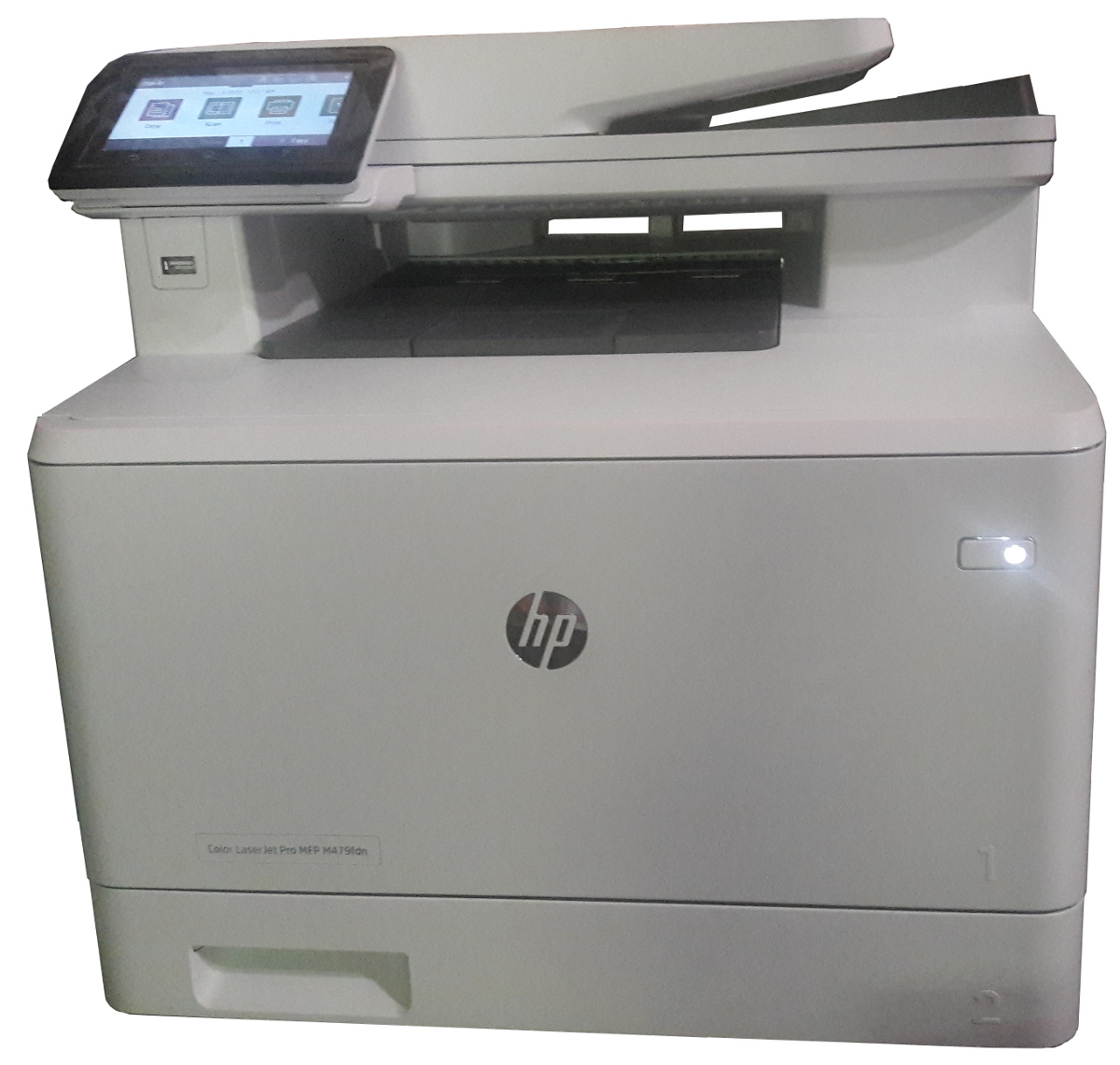
Click to get this printer on Amazon.com where I'm an affiliate.
Not too long ago, I ordered a new color drump for my old printer and replaced it. Not very long after that the print simply decided to not print at all anymore. Literally, it would pass the page through just fine but it had nothing on the page. I know it was working since it was printin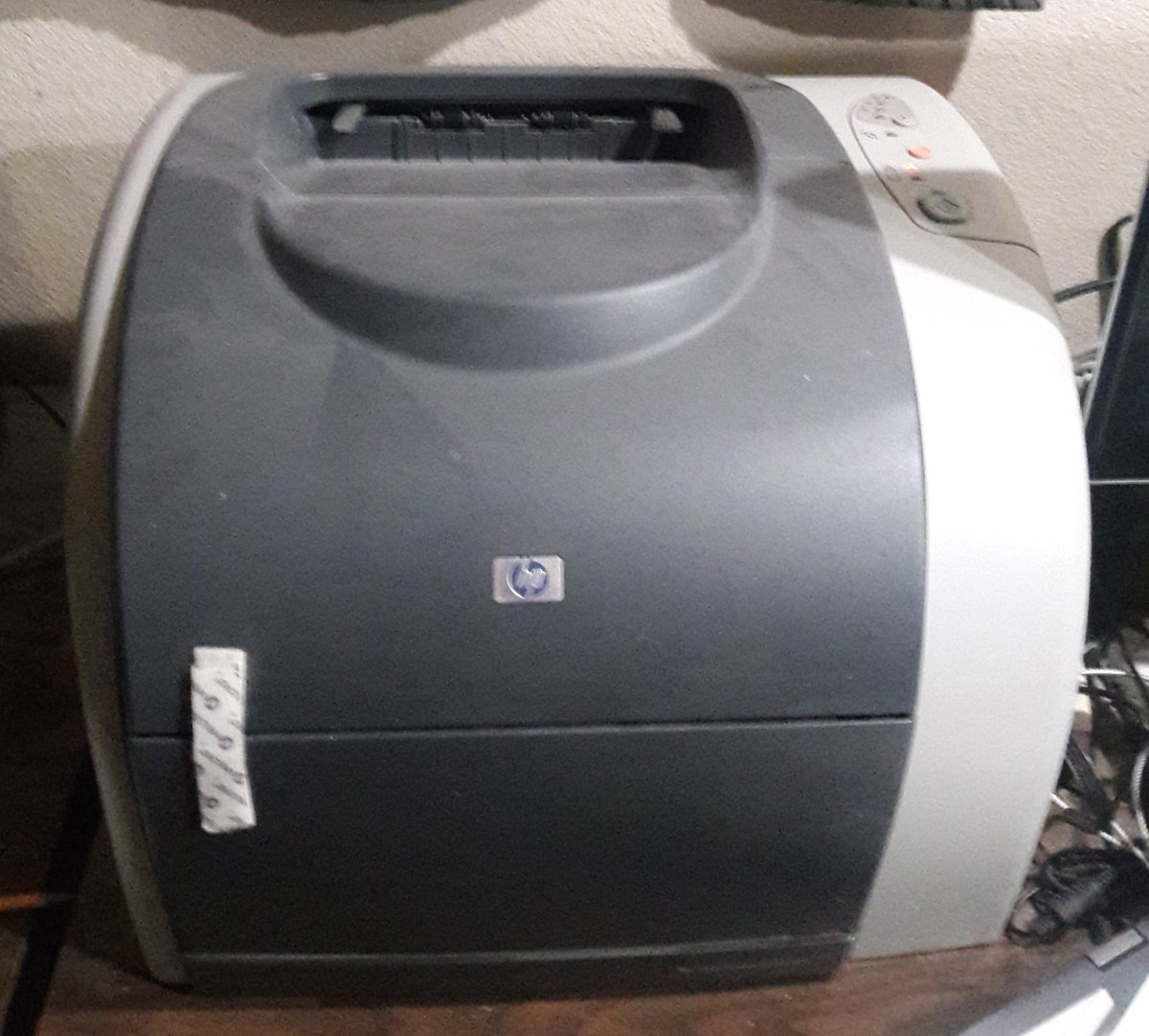 g just fine the day before and there was still plenty of black ink (it would have had the light on if the black was not enough.)
I'm thinking that may have been a ploy by the manufacturer to push me to buy a new printer...
In any event, ...
Refund Request
We offer a 30 Day Money-Back Guarantee. Please, make sure the invoice date is within the last 30 days.
Since only our registered users can have invoices, we require that you log in your account before asking for a refund. Then go to our Contact Page to send us a refund request with the information about the invoice you want us to refund..
You can find your invoices under your account. Click on the Orders tab to get to the list.
PHP eFax requires "ssl://" on RedHat EL7 and Ubuntu
Mon, 10/15/2018 - 20:32 — Alexis WilkeWe found out today that RedHat LE7 requires the use of the "ssl://" protocol instead of the default "tls://". The error we are getting from PHP looks like this:
PHP Warning:  stream_socket_client(): SSL operation failed with code 1. OpenSSL Error messages:
error:1409442E:SSL routines:ssl3_read_bytes:tlsv1 alert protocol version in .../lib/http_request.php on line 294
PHP Warning:  stream_socket_client(): Failed to enable crypto in .../lib/http_request.php on line 294
PHP Warning: stream_socket_client(): unable to connect to tls://secure.efaxdeveloper.com:443 ...Deleting a (Duplicate) Retweet from your Twitter Feed
Sat, 02/03/2018 - 17:30 — Alexis WilkeDouble Retweeting and How to Avoid Over-Duplication
I have seen many people retweeting like crazy and I've noticed that once in a while these people have been retweeting the exact same tweet more than once.
I'm pretty sure that in most cases these people ignore the fact. Personally I find their twitter feed annoying because of that. Retweeting is totally okay, it's sharing what others have tweeted and there is nothing wrong with it. However, seeing the exact same tweet 2, 3, 4, or even 5 times pretty much in a row is rather bad taste. I understand that this very tweet is super ...
The set_fax_id() function PHP e-Fax must be given unique IDs, each time.
Wed, 11/01/2017 - 14:35 — Alexis Wilke
The PHP eFax system uses a class that ease the communication between your software and eFax. The developer system is not too complicated, but there are tricks to it and the class hides most of them.
Today a customer contacted us as they just purchased a copy of our PHP library and had problems sending faxes. The fact is that they used the set_fax_id() function with a hard coded string. Imagine doing something like:
$efax->set_fax_id("Test Fax");
This looks pretty good, only after the second time the sending of the fax will fail because eFax considers that it was already ...
Protected Node Rules Support
The following features are available only when installing the Rules extension of protected nodes. This extension requires the thrid party Rules extension for Drupal.
Protected Node Rules Conditions
When handling a Node, it is possible to check whether the node is currently protected or locked.
Protected Nodes
A node is said protected when the node was protected by a password using the Protected node module.
Whether the user can view that node is irrevelant in this case. Only the fact that the node requires a password to be viewed is what this condition checks.
Locked Nodes
A ...
